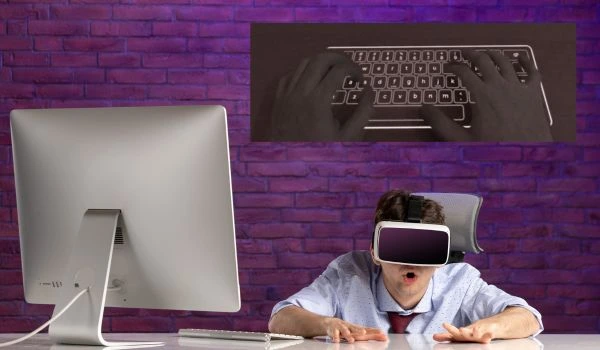
Meta Quest 3 Surface Keyboard Makes Typing in VR Less Painful
Latest Updates






visionaries Network Team
04 Febuary, 2026
ai vr and automation
Meta tests the Meta Quest 3 Surface Keyboard in Horizon OS v85, promising faster, more natural typing in VR using real-world surfaces
Typing has always been one of the weakest links in the VR and XR experience. Wearing a bulky headset, dealing with limited battery life, and paying a premium for high-end displays are already compromises users accept. But slow, awkward typing often turns simple tasks into frustrating chores. Meta is now attempting to fix that with a new experimental feature for its latest headset.
Why Typing in VR Has Been So Painful
Traditional typing methods in XR rely on either hand tracking or controllers. Both approaches force users to hunt and peck at virtual keys floating in mid-air. Hand tracking, while futuristic, is often inaccurate, while controller-based typing feels unnatural. For anyone who spends extended time in VR, inefficient typing becomes an unavoidable annoyance.
Surface Keyboard Debuts in Horizon OS v85
With the release of Horizon OS v85 PTC, Meta is testing a feature called the Meta Quest 3 Surface Keyboard. This beta tool allows users to pin a virtual keyboard onto a real, flat surface such as a desk or table. Alongside the keyboard, Meta has added a virtual trackpad that turns the surface into a touch-sensitive input area.
The Meta Quest 3 Surface Keyboard uses the headset’s external cameras to track hand placement. Once enabled in the experimental settings, the keyboard appears automatically when users rest their hands on a surface, making the setup feel intuitive and quick.
A More Natural Typing Experience
Compared to older XR keyboards, the difference is striking. The Meta Quest 3 Surface Keyboard lets users type with both hands in a familiar layout, significantly improving accuracy and speed. While it still can’t fully replace a physical keyboard, it’s the closest simulation of real typing currently available in XR.
This makes routine tasks far less aggravating. Entering passwords, searching the web, or typing short messages feels practical rather than punishing. For productivity-focused users, this alone could change how often they rely on their headset for everyday tasks.
Trackpad Still Needs Improvement
Despite the progress, the trackpad remains the weakest part of the experience. Inputs can be inconsistent, with swipes sometimes overshooting or taps failing to register. Since this is an experimental feature, these issues are expected, but they highlight the need for further refinement.
What This Means for Meta’s VR Future
It’s unclear when the Meta Quest 3 Surface Keyboard will graduate from beta to a full Horizon OS release. Still, its usefulness makes it a strong candidate for wider rollout. As Meta looks to improve VR usability, smarter input solutions like this could play a key role in making XR feel less futuristic—and more practical.
Browse our most recent publications