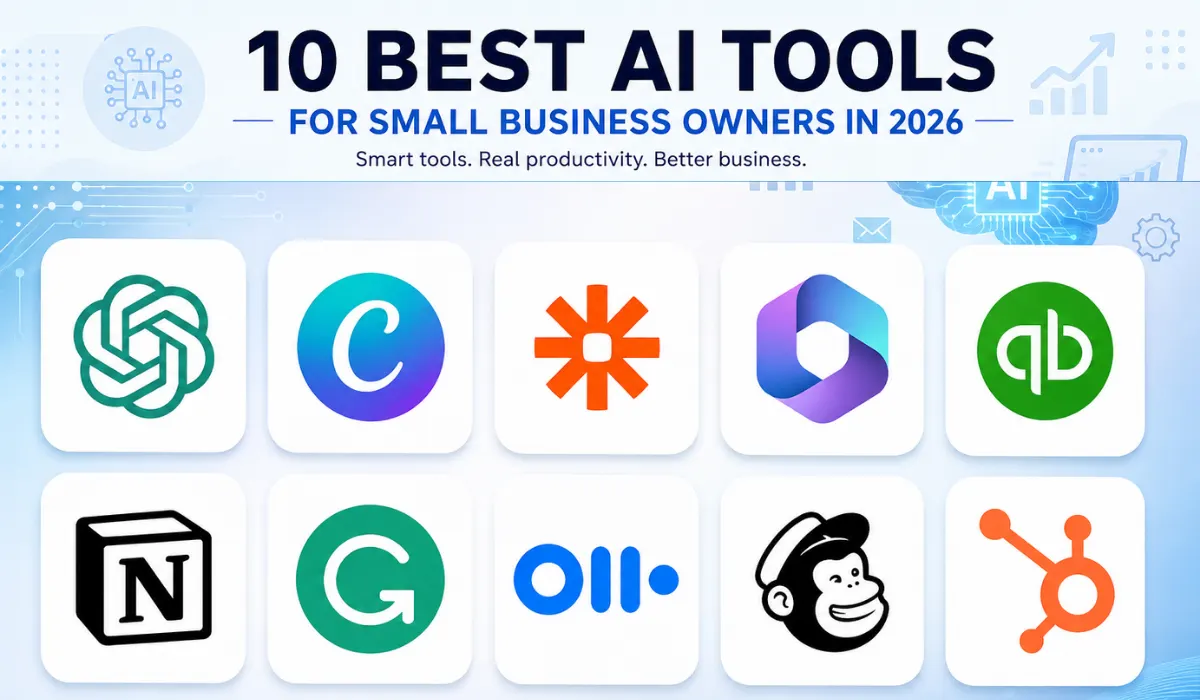
10 AI Tools for Small Business Owners in 2026
Latest Updates






visionaries Network Team
20 August, 2026
ai vr and automation
Running a small business often means moving between different jobs throughout the day. An owner may answer customer emails in the morning, review invoices after lunch, and work on a marketing campaign before heading home. As businesses look for ways to handle these demands more efficiently, AI tools for small business owners are finding a place in everyday work.
The technology is no longer limited to generating text or answering questions. Depending on the platform, AI can help with document processing, marketing, customer communication, meeting notes, lead management, financial tasks, and repetitive administrative work.
Still, buying every AI product available is rarely a good strategy. The better approach is to find a genuine business problem and choose a tool that can help with it.
Here are 10 tools that small business owners can consider in 2026:
1. ChatGPT
ChatGPT can be used for a wide range of business tasks. An owner can use it to work with documents, organize ideas, draft emails, research topics, prepare marketing material, and analyze information.
· Real use case
Kevin English, the owner of Keg Built, used ChatGPT to work through a 30-page contractor quote. According to OpenAI, the process saved him at least 10 hours of data entry. Instead of manually checking information from the quote, he could spend that time on other work.
There is another interesting example from Sharp & Sharp Certified Seed in South Carolina. Rachael Sharp used ChatGPT to digitize decades of handwritten crop records. Information dating back to 1971 could then be searched more easily, giving the business a practical way to work with its historical records.
These examples show that ChatGPT can be useful for more than writing. It can help an owner deal with information that would otherwise take hours to sort through manually.
2. Canva
Good visuals are important for almost every business, but hiring a designer for every social media post, flyer, presentation, or promotional image may not be practical for a small company.
Canva combines design tools with AI features that can help businesses create and adapt visual content.
· Real use case
Lauren Grech used Canva while creating a children's book and later built Silly Bub, a business focused on children's ebooks, digital artwork, and baby products. Canva became part of the company's wider branding work, including its logo, thank-you cards, stickers, and social media templates.
The example shows how a small business can use one design platform across several parts of its operation rather than relying on different services for every visual requirement.
For a retailer, the same idea could apply to product announcements, seasonal campaigns, promotional graphics, and social media content.
3. Zapier
A surprising amount of administrative work involves copying information from one application to another. Zapier helps businesses connect different applications and automate those repetitive workflows.
· Real use case
OpenPhone, a business communications company, used Zapier to automate parts of its internal workflow. Zapier reported that co-founder Daryna Kulya saved about 10 hours each month through automation.
For a small business, a similar setup could connect a website contact form to a CRM and an employee notification. When a potential customer submits a form, the information can be passed to the relevant system without someone manually entering it.
The benefit comes from removing small repetitive jobs that happen again and again.
4. Microsoft 365 Copilot
Businesses that already use Microsoft 365 may find Copilot particularly convenient because it works within an environment employees already know.
It can assist with documents, emails, meetings, presentations, and other office tasks.
· Real use case
Rau Consultants, a personnel consultancy, conducts around 800 candidate interviews every year. Each interview takes about an hour, while creating the candidate profile afterward could take another hour or more. Interviewers were also taking notes during conversations, which divided their attention.
The company introduced Microsoft 365 Copilot to help with candidate profile creation. This is a good example of where AI can fit into an existing process. The recruiter still conducts the interview and makes the assessment. AI helps reduce some of the administrative work that comes afterward.
5. QuickBooks
Financial administration is another area where small business owners can spend a lot of time. QuickBooks has introduced AI features that can assist with areas such as lead capture and financial insights.
· Real use case
American Grit Electric co-founder Derrick Roberts used QuickBooks' AI Customer Agent to help capture potential leads arriving through email. The system helps bring those leads together rather than leaving Roberts to search through his inbox manually.
The company also uses AI-generated financial insights to compare business performance across different periods.
For a contractor who spends much of the day on job sites, reducing the amount of administrative work waiting at the end of the day can be particularly useful.
6. Notion AI
Notion brings documents, projects, databases, notes, and company information into one workspace. Its AI features can help teams search, summarize, and work with information already stored in their workspace.
· Real Use Case
Headspace, the meditation and mindfulness company, uses Notion as part of its internal work. The company moved information from different systems into Notion to create a more connected workspace for its teams. Notion has highlighted Headspace as a customer using its platform to bring teams and information together as the company grows.
For a small business, the lesson is straightforward. Company information often becomes scattered as a team expands. Putting project details, procedures, meeting notes, and important documents into one workspace can make it easier for employees to find what they need without repeatedly asking the owner or another colleague.
The AI features can then be used on that existing information to summarize documents, find answers, and speed up routine knowledge work.
7. Grammarly
Grammarly is designed to help people improve written communication. Its AI-powered features can help with grammar, clarity, tone, rewriting, and generating or refining text.
· Real Use Case
ZoomInfo is one example of a company that has used Grammarly Business across its organization. With employees creating large amounts of sales and business communication, the company used Grammarly to help teams communicate more clearly and consistently.
This type of use is particularly relevant to small companies where employees regularly prepare sales emails, proposals, customer messages, and other business documents.
Rather than asking AI to write every message from scratch, employees can use Grammarly as a second check. They remain responsible for the message and the information it contains, while the tool helps polish the wording before it reaches a customer.
8. Otter.ai
Otter.ai focuses on recording, transcribing, and summarizing conversations. It can be useful for companies where meetings and interviews form a large part of the working day.
· Real Use Case
Krisp is an example of a company that has used Otter to support its meeting workflow. Otter's customer stories describe businesses using its transcription and meeting capabilities to capture discussions and make the information available afterward.
For a smaller business, this can be particularly useful when several people attend customer calls. Instead of one employee spending the meeting typing notes, the conversation can be captured and reviewed afterward.
A sales team can return to a customer conversation when preparing a proposal. A consultant can check what requirements were discussed. A manager can review decisions and follow-up items without relying entirely on memory.
The transcript should still be checked before important information is shared or entered into business records.
9. Mailchimp
Mailchimp combines email marketing, audience management, campaign creation, and analytics. Its AI features can assist marketers with content and campaign-related tasks.
· Real Use Case
The British Museum has used Mailchimp to manage email communication with its audience. The organization has used the platform to send targeted campaigns and communicate with different groups of subscribers.
Although the British Museum is much larger than a typical small business, the underlying idea applies to smaller companies as well. A business does not need to send the same message to everyone on its mailing list.
For example, an online retailer can separate new subscribers from existing customers and people who have stopped purchasing. It can then create campaigns suited to each group and use campaign results to decide what to change next.
AI can help with parts of the process, but the business still controls the offer, audience, timing, and final message.
10. HubSpot
HubSpot combines customer relationship management, marketing, sales, and customer service tools. Its AI features add assistance to several of these areas.
· Real Use Case
Vanta, a company specializing in security and compliance automation, has used HubSpot as part of its sales and marketing operations. HubSpot's customer stories describe how Vanta uses the platform to bring customer information and business processes together as the company scales.
The example is relevant to smaller B2B companies because growth can quickly create a problem with customer information. Leads may begin in a website form, move into email conversations, continue through sales calls, and eventually become customers.
A CRM provides a central record of those interactions. Sales employees can see where a prospect is in the process, what has already been discussed, and what needs to happen next.
For a small business, that organization can be just as important as the AI features themselves. AI can assist with parts of the workflow, but a reliable customer record gives the team the foundation it needs.
How to Choose the Right Tool
The examples above point to a simple lesson: businesses should start with their problems, not with AI.
If an owner spends hours reading and organizing documents, a general AI assistant may be helpful. If employees repeatedly transfer information between applications, automation could be a better investment. If leads are disappearing inside email inboxes, a CRM may solve a more important problem than another writing tool.
Cost matters too, many AI apps for small business offer free or entry-level versions, but businesses should check usage limits, integrations, privacy policies, and the cost of paid plans before committing.
It is also better to test one process at a time. Pick a task that happens regularly and measure the results. If the tool genuinely reduces the workload without creating additional problems, it can then be introduced to other areas.
AI Should Support the People Running the Business
The most useful AI applications are not necessarily the ones with the longest list of features. They are the ones that fit into work a business is already doing.
The examples in this article show different possibilities. A contractor used ChatGPT to work through a lengthy quote. A seed business used it to make decades of handwritten records searchable. A consultancy used Copilot to assist with candidate profiles, while an electrical contractor used AI to organize incoming leads.
That is an important point for owners considering AI tools for small business owners in 2026. Start with one frustrating or repetitive task. Find a tool that can genuinely help with it. Check the results and keep human judgment involved where it matters.
AI does not have to transform every part of a company to be valuable. Sometimes, making one difficult part of the working day easier is enough.
FAQs
1. What are AI tools for small business owners?
AI tools for small business owners are software applications that use artificial intelligence to help with everyday business tasks. They can assist with writing, marketing, customer management, accounting, meetings, research, data handling, and workflow automation.
2. Which AI tool is best for a small business?
There is no single best AI tool for every business. The right choice depends on the task. ChatGPT can help with writing and research, Canva can support design work, Zapier can automate workflows, while HubSpot can help manage customers and sales activities.
3. Can small businesses use AI without a technical team?
Yes. Many AI tools are designed for people without programming experience. Small business owners can start with simple tasks such as drafting emails, creating marketing material, organizing information, summarizing meetings, or automating repetitive processes.
4. Are AI apps for small business expensive?
Not necessarily. Many AI apps for small business offer free plans or lower-cost versions, while more advanced features may require a subscription. Businesses should compare pricing, usage limits, integrations, and features before choosing a paid plan.
5. Should small businesses rely completely on AI?
No. AI can handle or assist with many routine tasks, but people should continue reviewing important work. Financial information, customer communications, confidential documents, and business decisions may require human judgment and verification.
About the company
Visionaries Network features business leaders and professionals who are making an impact in their respective industries. Its content highlights their work, leadership, achievements, and contributions across different sectors.
Browse our most recent publications